

AI Max Controls
AI Max Final URL Expansion and Text Disclaimers: Regulated Advertiser Review
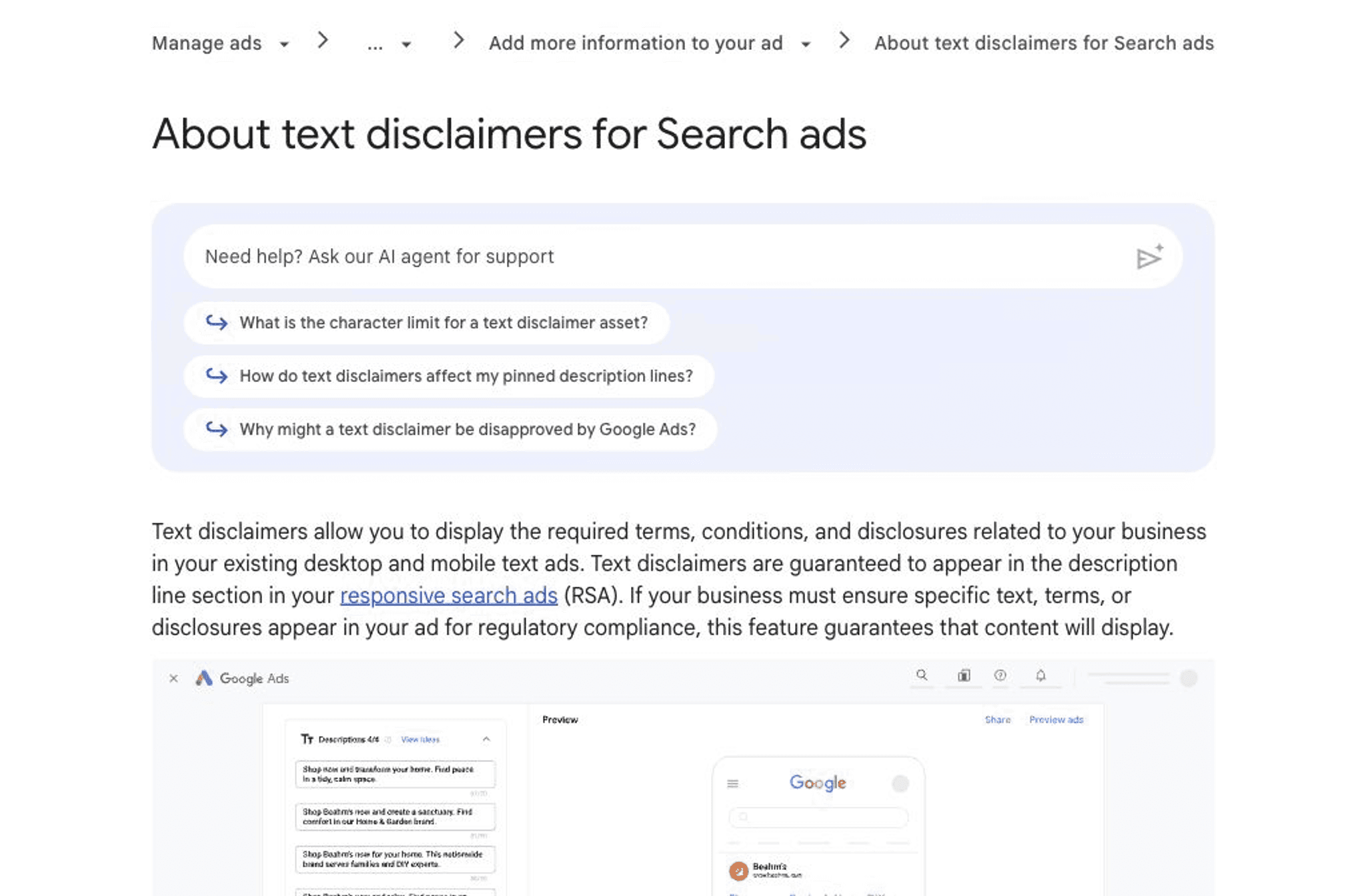
Official Google Ads Help page for text disclaimers in Search ads.
AI Max Final URL expansion and text disclaimers need a control review across required text, landing pages, tracking templates, and responsive search ads before Search campaigns change.
Key takeaway
Text disclaimers are Search ad assets for required terms, conditions, and disclosures in responsive search ads. They can support required language, but they do not replace legal, brand, or policy review.
Final URL expansion changes the review because Google can select more relevant landing pages. Before using it with AI Max, teams should confirm URL exclusions, landing-page coverage, tracking templates, final URL suffixes, required disclosures, conversion actions, and reporting baselines.
Google currently documents AI Max API support separately from text disclaimer setup. Treat text disclaimers as a Google Ads UI setup item unless current Google documentation and the account itself show otherwise.
The practical question is not whether AI Max can expand Search reach. It is whether required language, landing pages, tracking, reporting, and human review are strong enough before that reach changes.
- Text disclaimer setup was compared to responsive search ad pinning, variants, hidden display options, reporting, and current UI-only support.
- Final URL expansion was reviewed alongside URL exclusions, tracking templates, final URL suffixes, landing-page quality, and conversion-action ownership.
- Documented AI Max API support was kept separate from text disclaimer setup support before any bulk change or custom tooling plan was recommended.
AI Max can broaden Search matching, text customization, and landing-page selection. Text disclaimers add a second question: what required language must stay visible when the ad and destination become more dynamic?
Google's AI Max update says text disclaimers help advertisers include mandatory text such as terms and conditions, with early support tied to campaigns using Final URL expansion. Google's dedicated Help documentation frames text disclaimers as Search ad assets for responsive search ads.
That makes the review bigger than copy approval. A regulated advertiser needs to know which responsive search ads can serve the disclaimer, whether pinning behavior conflicts with existing pinned descriptions, which landing pages Final URL expansion can select, and whether reporting can explain what happened after activation.
Google documentation·Google Ads Help
Text disclaimers for Search ads
Google Ads Help is the baseline for text disclaimer limits, variants, pinning behavior, reporting, responsive search ads, Final URL expansion compatibility, and current UI-only support.
Open Help docTreat text disclaimers as controlled Search assets with limits, variants, and serving behavior that need review before launch.
Google Ads Help describes text disclaimers as a Search ads asset type for required terms, conditions, and disclosures. It also documents practical constraints: up to 20 text disclaimers per campaign, up to 1,000 characters per disclaimer, and up to 10 variants for each disclaimer.
Those limits are useful, but they do not settle whether the language is legally sufficient or appropriate for every ad. The team still needs a named owner for the required text, the acceptable variants, the campaigns or ad groups where it applies, and the business rule for when pinning is required.
| Decision | What to confirm | Why it matters |
|---|---|---|
| Required text owner | Who approves terms, conditions, disclosures, and variant language. | Search teams should not improvise regulated copy inside an optimization sprint. |
| Campaign or ad group scope | Where the disclaimer applies and where it should not appear. | The same disclosure may not fit every product, geography, or offer. |
| Variant policy | How many variants are allowed and which phrases are mandatory. | Google can choose among variants, so every approved variant needs to work on its own. |
If Google can choose a more relevant landing page, the disclosure review has to cover more than the original final URL.
AI Max documentation says Final URL expansion can optimize the final URL to a more relevant landing page based on intent and page content. Google also cautions that some tracking templates may not serve all traffic correctly when Final URL expansion is enabled.
Before activation, review landing pages, URL exclusions, tracking templates, final URL suffixes, redirects, consent behavior, and conversion actions. The safest plan names pages that are allowed, pages that are excluded, and the reporting view that will be used to confirm actual landing-page distribution.
Review Final URL expansion settings
01
Map eligible landing pages
Confirm which product, offer, lead, and policy pages can receive Search traffic when Final URL expansion is active.
02
Set URL exclusions
Exclude pages that create disclosure, pricing, geography, availability, policy, or conversion-path risk.
03
Validate tracking templates
Check tracking templates, final URL suffixes, ValueTrack parameters, redirects, consent behavior, and analytics naming before traffic shifts.
04
Baseline landing-page reporting
Use AI Max landing-page reporting after launch to see which pages were triggered by URL expansion.
Google documentation·Google Ads Help
AI Max controls
Google Ads Help documents AI Max matching, text customization, Final URL expansion, URL controls, brand controls, reporting, and tracking-template cautions.
Open Help docGoogle documents text disclaimer reporting and AI Max reporting, but performance data does not decide whether required language is acceptable.
Google Ads Help says text disclaimer assets can be tracked in the asset report, including impressions, clicks, conversions, and conversion touchpoints. AI Max reporting also gives teams views for Search terms, landing pages, assets, keywords, and source labels.
Use those reports to understand serving behavior and campaign impact. Do not use clicks or conversions as a substitute for legal, brand, or policy review. A high-performing disclaimer can still be unacceptable if the language, placement, or landing-page pairing is wrong.
For tooling, keep the boundary precise. Google Ads API documentation includes AI Max settings and ad group controls for text customization and Final URL expansion. Google's text disclaimer Help documentation currently says text disclaimer setup is only available in the Google Ads UI.
Reporting explains serving behavior; it does not certify legal sufficiency.
Google documentation·Google Ads Help
AI Max reporting
Google Ads Help documents Search terms, landing pages, assets, keywords, source labels, and learning-period guidance for AI Max for Search campaigns.
Open reporting docGoogle documentation·Google Ads API
AI Max API support
Google Ads API documentation is the baseline for version-specific AI Max fields, ad group controls, and reporting resources; text disclaimers remain documented as UI-only in Google Ads Help.
Open API docAI Max text and landing-page changes often require input from paid media, legal, brand, analytics, and ecommerce or lead-generation owners. The finished review should tie required text, landing pages, tracking, and reporting to the connected account in one place.
Parallel AI reads affected campaigns from the connected Google Ads account, summarizes current Google documentation, writes the required-text and URL control review in a doc or spreadsheet, compares Search terms and landing-page reporting, and drafts any account change for a person to approve before it ships.
Compliance work fails when each team signs off on a different fragment of the same campaign.
The launch decision should be simple enough for the paid media owner, legal reviewer, brand reviewer, and analytics owner to agree on before traffic changes.
| Area | Confirm before activation |
|---|---|
| Required text | Approved terms, conditions, disclosures, variants, pinning decision, and campaign or ad group scope. |
| Responsive search ads | Existing pinned descriptions, available description space, text customization settings, automatically created asset exposure, and policy-sensitive phrases. |
| Landing pages | Allowed pages, excluded pages, required disclosures, offer consistency, conversion path, and page-level measurement. |
| Tracking | Tracking templates, final URL suffixes, ValueTrack parameters, redirects, consent behavior, and analytics naming. |
| Reporting | Search terms, landing pages, assets, keywords, conversion actions, CPA, ROAS, qualified leads, converted leads, and Change history. |
| Availability | Account-visible text disclaimer controls, AI Max settings, Final URL expansion settings, availability details, and current Google documentation. |
Activation only happens when every row has a named owner and a signed-off answer.
Google documentation
Google Ads and Commerce post covering AI Max expansion, AI Brief, text disclaimer support, and rollout-limited steering controls.
Google Ads Help reference for text disclaimer assets, character limits, variants, pinning behavior, reporting, responsive search ads, Final URL expansion compatibility, and current UI-only support.
Google Ads Help reference for AI Max matching, text customization, Final URL expansion, URL controls, brand controls, reporting, and tracking-template cautions.
Google Ads Help reference for Search terms, landing pages, asset reporting, keyword reporting, AI Max source labels, and learning-period guidance.
Google Ads Help reference for AI Max setup paths, unsupported campaign types, upgrade paths, and account-visible controls.
Google Ads Help FAQ for AI Max compatibility, DSA boundaries, Performance Max boundaries, Final URL expansion, text customization, and landing-page behavior.
Google Ads Help reference for Final URL expansion behavior and the landing-page review needed when Google can choose more relevant URLs.
Google Ads API release notes for version-specific AI Max resources, fields, and reporting support.
Google Ads API guide for enabling AI Max for Search campaigns and controlling text customization and Final URL expansion at ad group level.
- Blog homeBrowse every published Google Ads guide from one editorial index.
- Google Ads AI agent: complete guideThe pillar guide covers the category definition, the adoption model, and where the agent fits real Google Ads work.
- ResourcesMove between the definition page, pricing, product walkthrough, and trust pages.
- About Parallel AISee the company mission, editorial standards, and operating principles behind the product.
- SecurityReview the public data-handling, account-connectivity, and approval-control framing used throughout the published guides.
- Author profileSee the background, specialties, and editorial responsibilities behind the published guides.
- Editorial reviewReview how pricing, trust, and capability claims are checked before public content ships.
- Google Marketing Live 2026: What Google Ads Teams Should Review FirstThe first GML response is a prioritized account review across campaign inputs, not a feature rollout checklist.
- Google Search Ads After GML 2026: AI Mode, Offers, and Lead QualitySearch terms, conversion actions, and documented reporting need a baseline before AI Mode or AI Max changes move budget.
- DSA to AI Max Migration Checklist for Search CampaignsCampaign inventory, tracking templates, and stakeholder notes should be finished before the DSA to AI Max upgrade path reaches eligible accounts.
- AI Max Testing Playbook for Google Ads Search CampaignsFor paid search leads running a controlled AI Max experiment on a healthy Search campaign.
- AI Max Text Guidelines: Keep Google Ads Copy On-BrandFor paid search and brand teams reviewing AI Max text customization before scale.
- AI Max Expansion After GML 2026: What to Audit Before You Adopt ItHelpful when Google Ads teams need to audit AI Max readiness without losing account-level review and approval.
- Google Ads Data Manager: First-Party Data Source ReviewFor marketing and RevOps teams where list uploads outpace stewardship and match rate monitoring.
- Google Ads Budget Pacing Update 2026: What Changed and What HoldsHelpful when spend looks front-loaded after the 2026 pacing changes and the team needs to decide whether the curve is healthy, risky, or escalation-worthy.