

Weekly Action Loop
Performance Max Channel Reporting Playbook
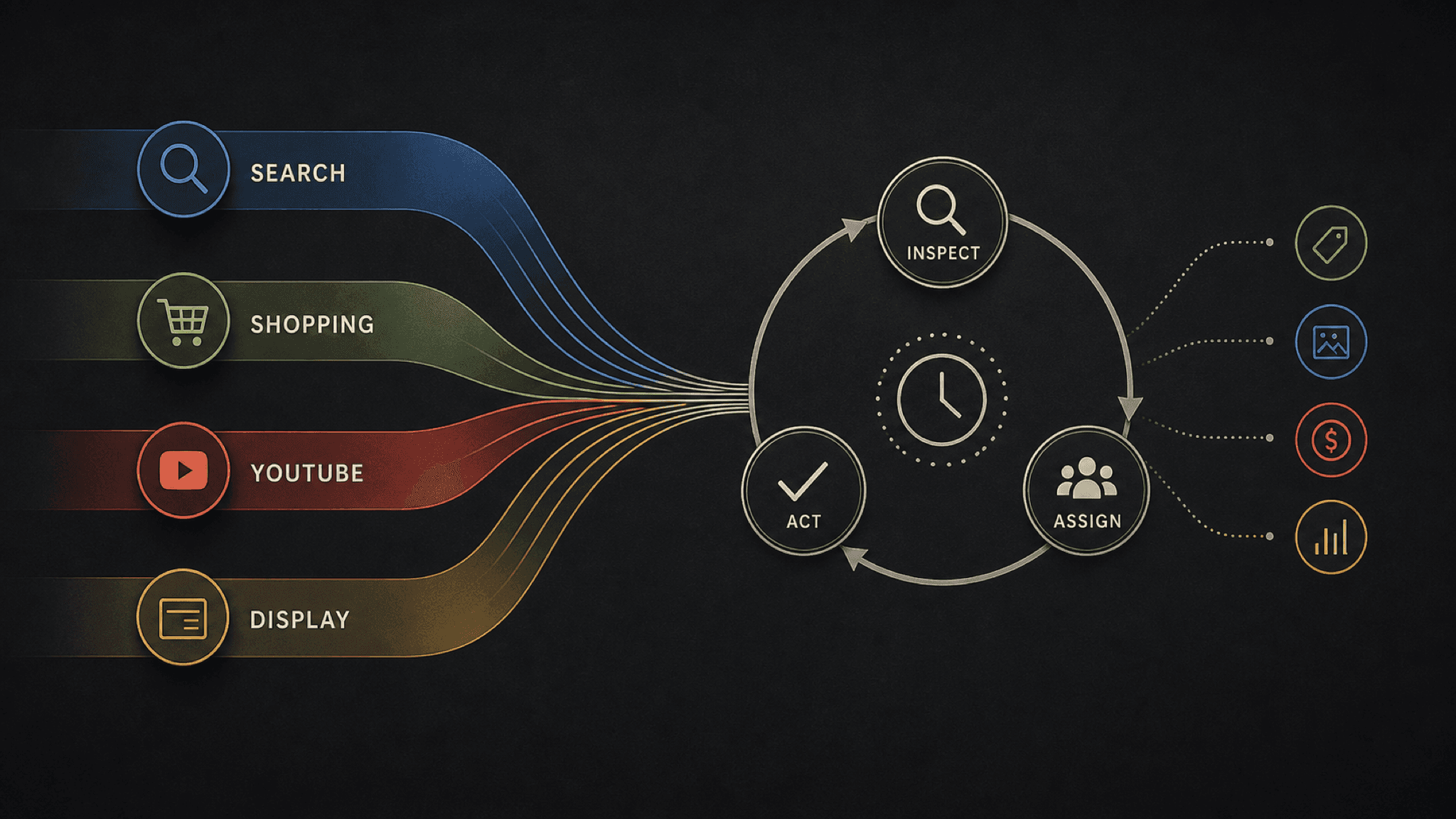
Graphic: Editorial guide to Performance Max channel reporting.
The PMax channel report shows where spend landed, not why it moved. This playbook routes channel shifts to feeds, asset groups, and search terms before anyone changes a setting.
Key takeaway
Wednesday's channel report shows Shopping at 62 percent of spend while Search sits at 18 percent, and the first mistake is treating that split as a diagnosis. Google's Performance Max channel performance report gives channel-level visibility across inventory types. It does not explain product feed health, asset group strength, or which queries triggered the shift.
The useful weekly loop is simpler: read the channel report for where budget landed, then route exceptions to feeds, asset groups, search term insights, and change history before anyone adjusts targets or budgets. Parallel AI can run that loop on a connected account, write the weekly summary in a doc or spreadsheet, and draft any campaign change for a person to approve.
Checked against current product behavior, account-review tools, and official Google materials so the explanation matches the real review process and live product boundaries.
- Google's Performance Max Help page lists channel performance, asset group reporting, and placement reports as separate reporting surfaces with different jobs.
- Channel movement was tested against feed quality, asset groups, search term insights, conversion value, CPA, ROAS, and change history before any setting change.
- Parallel's role stays limited to connected account review, finished weekly summaries, and drafted changes held for human approval.
You open the channel performance report after a quiet week and Shopping's share jumped ten points while CPA held. The numbers look like a story, but Google's documentation frames channel performance as visibility across inventory types, not a full explanation of every result. The report tells you where budget landed. It does not tell you whether a feed disapproval, a weak asset group, or a search theme drift caused the move.
DEFINITION
Channel performance report for Performance Max
A Google Ads reporting surface that shows how a Performance Max campaign is performing across channels such as Search, Shopping, YouTube, Display, Discover, and Gmail. Google's About Performance Max campaigns page lists channel performance alongside asset group reporting and placement reports as separate views, each with a different job.
Google Ads Help: About Performance Max campaigns
That separation matters because PMax runs on one budget across Google's inventory. Smart Bidding shifts spend toward auctions it believes will hit your conversion goal. A rising Shopping share might mean the product feed is winning. It might mean Search inventory thinned out. It might mean nothing beyond normal auction movement. The channel report surfaces the shift. The why lives in surfaces that carry more granular evidence.
Teams that treat channel share as diagnosis end up changing tROAS, pausing asset groups, or rewriting client decks from a number that only described allocation. Teams that treat it as routing get a calmer week: one exception, one next surface, one owner. Where spend went is the channel report's job. Why it went there is someone else's.
Asset group reporting deserves a mention here because it is the bridge between channel allocation and creative reality. Google's About Performance Max campaigns page describes asset groups as themed collections of creatives that the system uses to build ads toward your goals. When YouTube share rises, the channel report flags allocation. Asset group performance tells you whether the video assets earned the shift or merely rode along with it.
Channel share is a map of allocation, not a verdict on quality.
Once you accept the channel report as a routing board, the weekly work gets mechanical in a good way. Each channel exception points to a specific follow-up surface Google already documents.
The illustrative math is simple on purpose. A campaign spends $12,000 in a 7-day window with Shopping at 62 percent, Search at 18 percent, and YouTube at 12 percent. CPA holds at $41 against a $45 target. The channel report says allocation shifted toward Shopping. It does not say whether a hero SKU returned to eligible status or whether Search themes stopped matching. Feed diagnostics and search term insights carry that answer.
Change history is the surface everyone forgets. A new asset group, a feed rule change, or a negative keyword batch added Tuesday can reshape channel mix by Thursday without any auction mystery. The channel report shows the outcome. Change history shows whether the team already moved a lever.
Retail accounts should pull Merchant Center diagnostics the same week Shopping share moves hard. Lead gen accounts should pull search term insights when Search share drifts. The routing table is not bureaucracy. It is how you avoid optimizing a channel label while the real issue sits in a feed disapproval or a query theme you never reviewed.
Where to look after a channel exception.
| Channel signal | First why surface | What it can explain |
|---|---|---|
| Shopping share rises or falls | Product feed and asset groups | Disapprovals, listing gaps, product filters, creative tied to retail inventory |
| Search share moves | Search term insights and search themes | Query drift, theme fit, overlap with exact match Search campaigns |
| YouTube or Display share moves | Asset groups and placement reports | Video or image strength, placement patterns, brand suitability context |
| Conversion value diverges from spend share | Conversion actions and change history | Tracking edits, value rules, recent structural changes |
Open channel performance for the campaign
With the routing map in place, the weekly review stops being a debate about percentages and becomes a short sequence anyone on the account can run.
Start with date range and conversion lag. A 7-day window on an account with 3-day conversion lag can make Search look expensive while Shopping looks efficient simply because clicks have not converted yet. Match the lookback to how this account actually reports before you route anything.
Compare channel movement to conversion value, CPA, and ROAS in the same window. Allocation shifts that arrive with stable efficiency are often normal Smart Bidding behavior. Shifts that arrive with falling conversion value or rising CPA earn a why surface from the routing table, not a target change.
- Pull channel performance, then open asset group reporting for any Shopping or creative heavy shift.
- Open search term insights when Search share moves, and read change history before blaming the auction.
- Record one routed next check per exception: feed, asset group, search terms, budget review, or hold.
A channel exception without a routed surface is still just a percentage.
Most weeks end in hold or route, not escalate. Escalation belongs when the channel shift changes the client story, threatens a monthly ROAS floor, or points to a tracking problem no single surface explains.
Route or escalate when
- Channel share moved and conversion value, CPA, or ROAS moved with it in the wrong direction.
- The routing table points to a feed, asset, or search term issue the team can verify this week.
- The shift is large enough that the client or finance lead needs a written explanation before targets change.
Hold when
- Allocation moved but efficiency metrics held and change history shows no recent structural edits.
- The lookback window is shorter than this account's typical conversion lag.
- Nobody has opened the why surface yet. Channel share alone is not enough to change tROAS, tCPA, or budgets.
Channel reporting is exactly the kind of recurring review Parallel AI is built for. The agent reads channel performance, asset groups, search term insights, feeds, and change history from the connected Google Ads account, classifies each exception, and writes the weekly summary in a doc or spreadsheet the pod can forward to a client. If the routed check ends in a target tweak, a negative keyword batch, or a feed note, it drafts that change and waits for a person to approve it. That order matters because channel debates eat Fridays when nobody wrote down the why surface. A one page route sheet with owners beats another screenshot of a pie chart. See for the broader review model. On Monday morning, open last week's channel performance report, list every allocation shift above your team's tolerance, assign one why surface per line, and send the route sheet to owners before anyone opens campaign settings.
Google documentation
Google's documentation for channel-level visibility in Performance Max.
Official Performance Max reference for campaign scope, inventory, goals, asset groups, and optimization context.
Official reference for using the search terms report to review which searches triggered ads and identify keyword or negative keyword updates.
Official Shopping ads reference for product data, Merchant Center, and how Shopping ads appear across Google surfaces.
- Blog homeBrowse every published Google Ads guide from one editorial index.
- Google Ads AI agent: complete guideThe pillar guide covers the category definition, the adoption model, and where the agent fits real Google Ads work.
- ResourcesMove between the definition page, pricing, product walkthrough, and trust pages.
- About Parallel AISee the company mission, editorial standards, and operating principles behind the product.
- SecurityReview the public data-handling, account-connectivity, and approval-control framing used throughout the published guides.
- Author profileSee the background, specialties, and editorial responsibilities behind the published guides.
- Editorial reviewReview how pricing, trust, and capability claims are checked before public content ships.
- Performance Max Channel Performance Audit for MCC TeamsHelpful when a manager account portfolio needs outlier routing before channel charts become client deck overclaims.
- Performance Max Placement Audit: Find Waste and Lead-Quality DriftHelpful when placement visibility outruns lead quality answers and the team needs subtractive rules before exclusions ship.
- Performance Max Search Partner Reporting GuideHelpful when Search Partner visibility finally arrived and the team needs a keep, narrow, or escalate loop instead of a blind toggle.
- How AI Agents Help Optimize Google Ads: Reports, Settings, and Review StepsA technical guide to diagnosis, prioritization, and reviewed changes in Google Ads.