

Ecommerce Video Prep
Merchant Center Video Hub for Google Ads
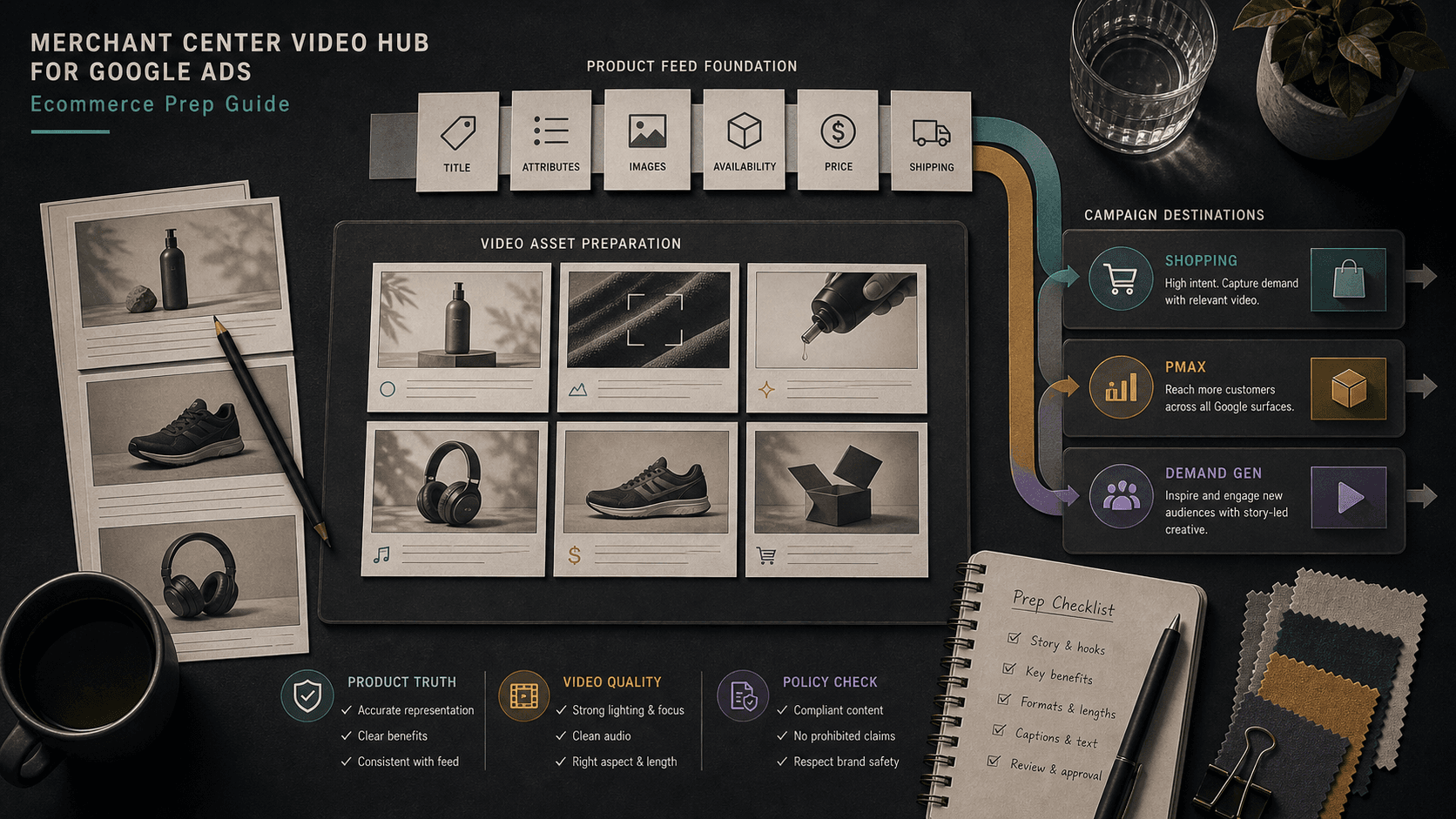
Illustrative concept graphic for Merchant Center Video Hub campaign readiness, not a product screenshot.
Organizing product video in Merchant Center is the easy half. Governance decides which SKUs earn video spend in Shopping, PMax, and Demand Gen.
Key takeaway
The creative ops lead finishes uploading eighty product videos to Merchant Center Video Hub and asks when Performance Max can scale. Google's Merchant Center announcement describes video and advanced merchandising features as part of modern commerce, but organizing files in a hub is not the same as campaign readiness. The easy half is storage. The work is governance: which SKUs earn video production, which feed rows must stay true, and which PMax or Demand Gen surfaces get the asset this month.
The reframe separates library hygiene from spend permission. A video hub without priority rules becomes a catalog museum while hero SKUs still run static images. Parallel AI reads the connected Google Ads account, compares product-level performance with your Video Hub inventory notes, writes the readiness and priority sheet in a doc or spreadsheet, and drafts campaign changes for a person to approve.
Checked against current product, pricing, trust, and official Google materials so the explanation stays tied to the live product and current Google Ads context.
- Google's Accelerate with Google Merchant Center article provides announcement-tier Video Hub context; upload and linking mechanics should be verified in the live Merchant Center account.
- Performance Max and Demand Gen consume video assets per Google's campaign Help pages; governance ties uploads to product-level conversion value before scale.
- Parallel's role stays limited to connected account review, finished priority notes, and drafted changes held for human approval.
Teams celebrate upload completeness the way they once celebrated feed submission. Every SKU has a file, thumbnails look consistent, and Merchant Center shows green checkmarks. Meanwhile Performance Max still spends against legacy images on the ten SKUs that drive half the account's conversion value. Google's Merchant Center announcement positions video as part of modern commerce merchandising. The hub solves findability. It does not solve priority.
DEFINITION
Merchant Center Video Hub governance
The practice of ranking which product videos should exist, which SKUs earn Google Ads video spend, and which feed and policy checks must pass before assets move into Performance Max or Demand Gen. Google's product data specification governs catalog truth; Video Hub governance governs where production and media dollars concentrate.
Google Merchant Center Help: Product data specification
The tension is library completeness versus revenue concentration. Creative ops metrics love file counts. Paid media metrics love conversion value per SKU. Without governance, the two dashboards diverge while everyone agrees video is important.
Google's Shopping ads Help page ties ad delivery to Merchant Center product data quality. Video that misstates pack size, color variant, or included accessories creates the same trust gap as a bad image link, with higher production cost to fix.
Demand Gen and Performance Max both treat video as a performance input under Google's YouTube Performance Four guidance: variety matters, but gradual change protects learning. Governance feeds that cadence by sequencing hero SKUs first instead of enabling eighty assets on one Monday.
Illustrative priority stack: twenty SKUs cover 58 percent of trailing conversion value. Twelve already have Video Hub files. Four match hero revenue but show outdated pack shots. Four lack video entirely. Numbers are illustrative. Governance is the ranked list and owners, not the upload total.
If Video Hub linking steps or asset eligibility rules are not in public Help pages, confirm them inside Merchant Center before building automation around assumed behavior.
Upload volume is a logistics metric, not a media strategy.
Once priority is the frame, the weekly doc opens with conversion value share, margin band, feed health, and campaign surface for each SKU under consideration for video spend.
Add, revise, and hold should reference the same tier list. Add when hero SKUs have accurate video, clean feed rows, and a named Performance Max or Demand Gen home. Revise when revenue rank is high but creative shows stale offers. Hold when volume, margin, or policy history cannot support learning cost.
Landing-page continuity is non-negotiable for video-led prospecting. A strong hook with a weak product detail page trains Smart Bidding on clicks that cannot convert. Governance includes the web owner in the same row as creative ops.
Post-launch, asset-level reporting shows whether video earned spend or sits idle. Idle hero assets are a production priority bug, not a bidding problem.
Creative ops should publish a quarterly coverage report: hero tier coverage percent, stale asset count, and average days since last feed match check. That report belongs in the same QBR deck as ROAS so production dollars follow revenue, not upload habits.
When Video Hub features beyond basic upload are not documented in public Help pages, record what your Merchant Center account shows and revisit after Google releases fuller guidance.
SKU tiers mapped to video decisions.
| SKU tier | Video Hub action | Google Ads action |
|---|---|---|
| Hero revenue | Require current feed match and brand approval | Add to primary PMax asset group with test window |
| Growth candidates | Produce or refresh if feed and margin allow | Limited Demand Gen test with CPA floor |
| Long tail | Store only when strategic assortment needs coverage | Hold campaign spend until volume justifies learning |
| Policy-sensitive | Legal review on claims before any upload | Hold until disapproval history is clear |
Confirm product-level value before prioritizing video
With tiers defined, each candidate SKU passes the same gate before campaign upload.
Confirm the SKU ranks in the agreed revenue or growth tier for the quarter and finance still supports margin at planned promo levels.
Match video content to primary feed title, price, availability, and variant attributes plus the live product detail page.
Review policy history and category restrictions for the SKU family. Video does not bypass disapproval patterns the feed already triggered.
Name target asset group, test window, and ROAS or CPA floor before enablement. Hero SKUs deserve written success criteria, not optimistic defaults.
- Rank SKUs by trailing conversion value before production spend.
- Verify feed and product page match for every enabled video.
- Assign Performance Max or Demand Gen surface before upload.
- Review asset-level spend 14 days after hero SKU launch.
An organized hub with random campaign uploads is still random.
Add when hero or growth-tier SKUs have feed truth, policy clearance, landing-page continuity, and a named campaign test. Revise when revenue rank warrants video but creative or claims need cleanup. Hold when tier, margin, volume, or policy history cannot support learning cost this quarter.
Add when
- SKU sits in the documented hero or growth tier for the quarter.
- Feed attributes, product page, and video claims align without open disapprovals.
- Target PMax or Demand Gen asset group and 14-day success criteria are written.
Hold when
- Video exists mainly to complete catalog coverage without revenue rank.
- Landing pages or availability rows disagree with video offer language.
- Policy disapprovals for the category are unresolved.
Video Hub governance is a connected-account review Parallel AI supports well. The agent pulls product-level conversion value, asset performance, and campaign structure, merges your Video Hub inventory notes, and writes tier, readiness, and test rows in a doc or spreadsheet for creative ops and paid media. If the call is to add, pause, or swap video in Performance Max or Demand Gen, it drafts that change and waits for a person to approve it. Upload sprints without a tier list produce beautiful archives and unchanged hero assets. See for suggested asset queues. On Monday morning, rank hero SKUs by trailing conversion value, compare Video Hub coverage to live PMax assets, and send one add, revise, or hold line per tier before anyone scales spend.
Google documentation
Google's commerce and Merchant Center explainer for merchandising-heavy teams.
Google's product data reference for feed quality and item requirements.
Official Performance Max reference for campaign scope, inventory, goals, asset groups, and optimization context.
Google's Demand Gen reference for campaign scope and creative context.
- Merchant Center Content Hub Video Recommendations GuideFor ecommerce teams where Content Hub suggestion volume outruns creative review capacity.
- Performance Max Video Assets Across Search and ShoppingHelpful when Performance Max video can expand coverage but the team needs product, brand, policy, and performance review before auto-generated defaults scale.
- Asset Studio Veo 3 Video Guide: Review Generated Video Before Campaign UseHelpful when Asset Studio generated video is ready to test but the team still needs brand, policy, tier, and campaign-use governance.
- Google Ads AI Agent for Ecommerce: Search Terms, Shopping, and PMax ReviewFor when Search, Shopping, Merchant Center, and Performance Max need one ecommerce review instead of separate meetings.