

Agency Reporting Guide
AI Assistant for Google Ads Client Reports
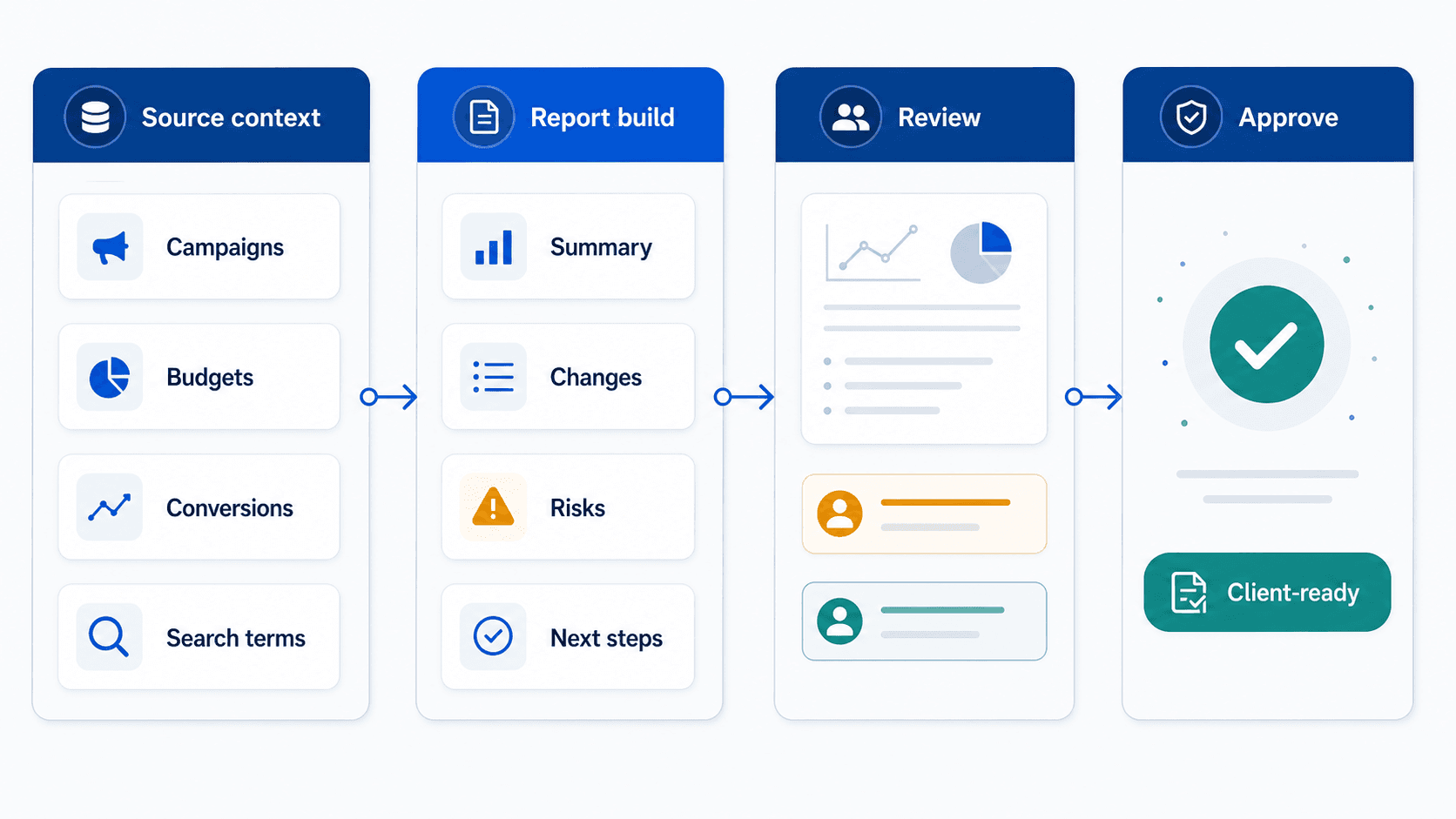
Editorial concept graphic for Google Ads client reporting workflows.
The client report is the agency's product. An AI assistant that cannot explain why behind the numbers only moved the typing.
Key takeaway
Friday before the QBR, the account manager exports three dashboards, drops them into slides, and spends Saturday writing paragraphs that explain why CPA moved. The client does not pay for the export. They pay for the story that connects spend, conversion quality, search terms, and the decision the agency is about to make. The client report is the agency's product. An assistant that cannot explain the why has only moved the typing.
An AI assistant for Google Ads client reports should pull account context, explain what changed, and draft a summary another person can review quickly. The important surfaces are campaigns, budgets, conversions, search terms, Recommendations, Change history, and the reports the agency already sends.
Parallel fits when the report needs more than charts: connected account analysis, a draft narrative, a sheet or doc, and a human review step before the client sees it. Drafted account changes stay waiting for approval while the narrative is edited for tone and commercial commitments.
Checked against current product, pricing, trust, and official Google materials so the explanation stays tied to the live product and current Google Ads context.
- The recurring agency report, not a generic dashboard feature list, was used as the baseline.
- Google Ads surfaces a client report should explain were named: campaigns, budgets, search terms, conversions, Recommendations, and Change history.
- AI assistance was judged by first useful draft quality and the review time it removes.
Once reporting is treated as the agency product, the job description changes. Visibility is table stakes. Explanation is the report, brief, or recommendation.
DEFINITION
Client-ready report narrative
A summary that names what changed in Google Ads, why it changed against campaign goals and recent account edits, what the agency is doing next, and what still needs data before a stronger claim. Google's reports documentation covers the native metrics. The narrative is the agency layer on top.
Google Ads Help: About reports
Read campaign, budget, conversion, search term, Recommendation, and Change history context before drafting the report. Skipping those surfaces produces pretty charts with hollow paragraphs.
Separate normal volatility from real issues such as budget constraints, conversion tracking drift, query quality shifts, or bid-target changes. Clients forgive noise when you name it. They lose confidence when you treat every wiggle as a crisis.
Produce a summary, sheet, or report section that names what changed, why it matters, and what the team is reviewing next. That is the draft the account manager edits, not the raw export.
Final client communication still needs human review for account nuance, tone, commitments, and commercial sensitivity. The assistant should lower edit load, not remove ownership.
Weekly and monthly cadences need different depth. Weekly updates should name the movement, the likely cause, and the one decision in flight. Monthly reports should show whether the account story changed or only the noise band did.
Manager-account agencies should keep client boundaries explicit. A portfolio average can hide a client-specific query problem that the narrative must still name.
A report without why is a screenshot with extra steps.
The comparison only matters if you are honest about what each tool actually finishes.
Dashboards remain useful for visibility. They rarely finish the agency job because they do not carry Change history, search term context, or the commercial guardrails that shape what a client should hear.
An AI reporting assistant is weak when it paraphrases metric deltas. It is strong when it connects campaigns, budgets, conversions, and recent edits into a draft paragraph the account manager can correct in minutes instead of rebuilding from scratch.
Google's conversion best practices guidance reminds teams that reporting quality depends on measurement quality. If primary conversion actions changed mid-period, the narrative must say so before anyone interprets CPA or ROAS movement.
Client-safe packaging also means naming what the agency will not do yet. Holding lines are part of the product. They protect trust when data is still catching up through conversion lag.
| Need | Dashboard | AI reporting assistant |
|---|---|---|
| See metrics | Useful for charts, trends, and recurring visibility. | Useful only if it can explain the movement behind those metrics. |
| Explain causes | Usually leaves the manager to interpret the account. | Should inspect account context and draft the explanation for review. |
| Send client update | Requires separate writing and review. | Should produce a draft that still goes through human review. |
Charts answer what. Client reports must answer why.
Once the assistant drafts the why, quality review is where the agency protects tone, promises, and measurement honesty.
Read every sentence that sounds like a promise. Forecast language should match conversion lag and budget reality, not enthusiasm.
Check that search term and Change history references survived the edit. Those are the lines clients challenge first.
Confirm recommendations stay inside what the team will actually approve this week. A report that proposes ten changes is a wish list, not a service update.
When Performance Max or Demand Gen campaigns drive the movement, name the campaign type in the client paragraph. Clients learn faster when the story matches the product they think they bought.
quality review is the last mile of the agency product.
If explanation is the product, the tool question is whether account review and client narrative stay in one workflow.
Parallel supports reporting that depends on Google Ads account context and starts from informed account review. The agent reads the connected account, turns movement into docs, sheets, and reports, and keeps drafted account changes waiting for human approval.
The final client version still belongs to the agency. The product should make the account story clearer and reduce the Saturday rewrite, not remove accountability from the team.
Dashboards remain useful for visibility. The agent is useful when the team needs to turn movement in Google Ads into a clear client update with the why attached.
See AI tool for managing multiple Google Ads accounts. On Monday morning, open last week's client report and Change history side by side. Highlight every paragraph that states a metric change without naming the campaign, edit, or query pattern behind it.
Rewrite one paragraph with the why surfaced before you send the next update.
If the report and the proposed account change list disagree, fix the narrative first. Clients hear the story before they see the change log.
Agency pods can standardize one report skeleton: movement, why, action, open questions. Skeletons sound rigid. They are how assistants stop inventing a new structure every week.
The agency product is explanation clients can trust.
Google documentation
Google's main reference for manager-account structure, shared access, and multi-account administration.
Google's current business-learning reference for conversion quality, reporting reliability, and measurement discipline.
Google's current overview of native AI Mode and AI Max features and where external workflow tools sit around them.
Google's Google Marketing Live 2026 announcement for Ask Advisor in Google Ads, Google Analytics, Google Marketing Platform, and Merchant Center.
About Parallel
Current security, data-handling, and connectivity framing.
Company mission and editorial review context behind the published guides.
- Blog homeBrowse every published Google Ads guide from one editorial index.
- Google Ads AI agent: complete guideThe pillar guide covers the category definition, the adoption model, and where the agent fits real Google Ads work.
- ResourcesMove between the definition page, pricing, product walkthrough, and trust pages.
- About Parallel AISee the company mission, editorial standards, and operating principles behind the product.
- SecurityReview the public data-handling, account-connectivity, and approval-control framing used throughout the published guides.
- What Is Parallel AI? A Clear Definition for Google Ads TeamsOfficial definition page for Parallel AI, with brand clarity and Google Ads fit.
- Pricing for Google Ads TeamsPricing, account-limit, and trial-policy page for Parallel AI.
- How Parallel AI Works for Google Ads TeamsProduct walkthrough for how Parallel AI fits into Google Ads reviews and approvals.
- Google Ads AI Agent for Agencies: Reviews, Reports, and ControlsFor agencies that need a repeatable multi-account review and reporting model that cuts rework without loosening approvals.
- AI Agent That Connects to Google Ads for Campaign Audits: What It Should CheckFor teams that need a Google Ads audit agent for Search, PMax, Shopping, reports, and human review.
- How to Find Wasted Spend in Google Ads With AIFor accounts that need lower wasted spend without overblocking useful traffic.
- What Are AI Agents for Google Ads? Start With the Main GuideShort path for buyers looking for the full Google Ads AI agent category guide.
- Best AI Agent for Google Ads Audits and Reporting: What PPC Teams Should CompareFor teams comparing Google Ads AI agents for audits, reports, and reviewed next steps.