

Agency Shortlist
Best AI-Powered Google Ads Tools for Agencies
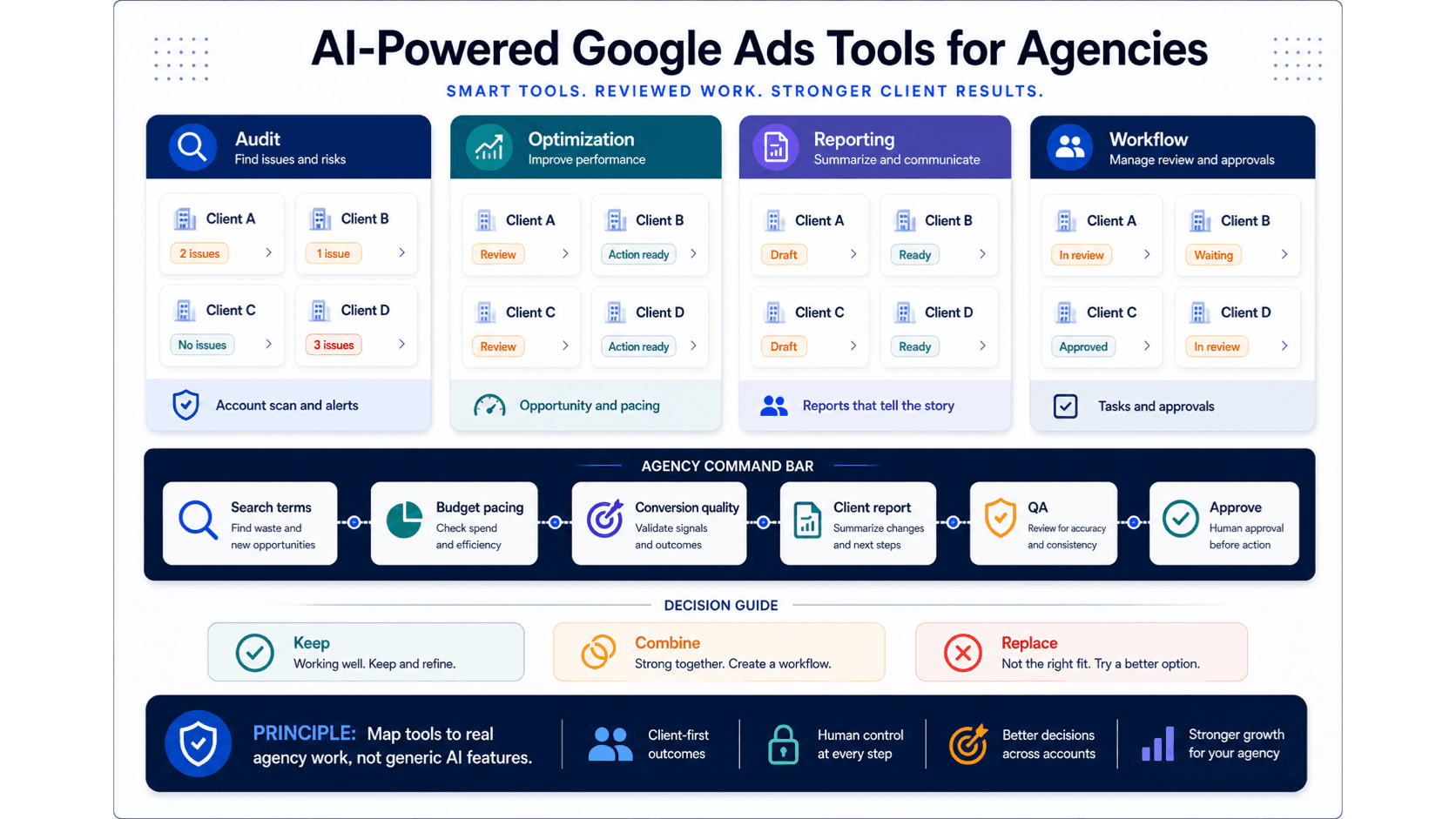
Illustrative concept graphic for agency Google Ads tool evaluation by recovered labor hour.
Agencies buy margin, not features. Rank AI-powered Google Ads tools by which hour of agency labor each one removes across manager accounts, reporting, and review.
Key takeaway
Thursday afternoon, the account lead has twelve client tabs open, three half-finished search term exports, and a QBR deck due tomorrow. The agency is not failing on talent. It is failing on hours that never make it into the client summary. That is why this guide ranks AI-powered Google Ads tools by margin recovered, not feature count.
Google's manager account documentation describes how agencies link client accounts and share access. The platform handles structure. The margin leak happens after the click: grouping search terms, explaining budget pacing, writing the client note, and getting approval before a bid or budget change moves live. Parallel AI belongs on the shortlist when packaging and review are the expensive hours. It is the AI agent platform for Google Ads work on connected accounts, with finished docs, sheets, and reports, and drafted changes waiting for human approval.
Checked against current product, pricing, trust, and official Google materials so the comparison, buying guidance, and fit criteria stay current and defensible.
- Google-owned manager-account and reporting documentation is the baseline for multi-client structure and in-platform data.
- Tool categories were scored by which recurring agency hour they remove: triage, diagnosis, client packaging, or approval.
- Parallel claims stay limited to connected account review, finished reports, and drafted changes held for human approval.
The expensive agency week is rarely campaign delivery. It is the repeat loop between finding a signal in Google Ads and getting a client-ready explanation out the door.
DEFINITION
Agency margin in Google Ads tooling
The billable or strategic capacity recovered when a tool removes a measured hour of recurring work: account triage, search term diagnosis, client report writing, or approval packaging. Google's manager account Help page covers account linking and access. It does not write the client deck.
Google Ads Help: About manager accounts
Manager accounts let agencies navigate client IDs, share access, and organize portfolios. Reports, search terms, budgets, Recommendations, Performance Max views, and Change history still need a human story before the client sees them.
A tool that only speeds the first click inside Google Ads may not buy margin if Hour 3, the client summary, still gets rebuilt from exports every Friday. Rank candidates by which hour they actually remove.
Margin shows up in recovered hours, not in another product tour.
Once margin is the frame, categories stop looking interchangeable. Each tool class removes a different slice of the weekly review.
A PPC management platform may shrink Hour 2 if your team lives in rules and alerts. Google product assistance may shrink Hour 2 for in-platform Search tuning through Smart Bidding, AI Max, and Recommendations. Neither automatically fixes Hour 3, which is where many agency margins actually die.
Illustrative math: if an agency billable rate is $175 per hour and a tool removes four hours of reporting rebuild across eight clients each month, that is $5,600 in recovered capacity before you count faster approvals. The numbers are illustrative. The mechanism is not: model labor first, subscription price second.
| Agency labor hour | What usually consumes it | Tool class that helps |
|---|---|---|
| Hour 1: account triage | Opening manager accounts, checking pacing, spotting which client needs attention first | Portfolio dashboards, MCC views, or an AI agent that compares connected accounts |
| Hour 2: diagnosis | Search terms report, Recommendations, Change history, conversion quality checks | Google product assistance inside Ads, PPC platforms with rules, or a connected AI agent |
| Hour 3: client packaging | Turning exports into a deck, sheet, or email the client can understand | Reporting connectors, manual docs, or an AI agent that drafts from live account context |
| Hour 4: approval | Explaining why a budget, bid, or negative list change is safe to ship | Any stack that keeps drafted changes visible before implementation |
The hour the tool does not touch is the hour you still pay for.
With the labor map in place, compare categories rather than logos. Each category removes different hours and carries different upkeep.
Agencies often stack two categories: native Google AI for auction-time work, plus something that finishes the report. The mistake is buying a third category that duplicates what you already have without removing a measured hour.
| Category | Best fit | Labor hour removed |
|---|---|---|
| Google product assistance | In-platform Search tuning, Smart Bidding, AI Max, PMax, Demand Gen, and Recommendations | Diagnosis inside campaign delivery, not client deck writing |
| AI agent platform | Connected-account review, reports, docs, sheets, client summaries, and reviewed next steps | Diagnosis plus client packaging when the agent finishes in shareable formats |
| PPC management platform | Rules, alerts, scripts, bulk changes, and repeatable account processes | Stable automation hours when logic is clear and maintenance is acceptable |
| Reporting connector | Dashboards and recurring distribution when diagnosis happens elsewhere | Chart production, not account judgment |
Category fit is a margin decision, not a branding decision.
The shortlist criteria should mirror the labor map. If a tool cannot improve triage, diagnosis, packaging, or approval, it is not buying margin.
Google Ads Help documentation for reports, search terms, budgets, and Recommendations remains the baseline for what in-platform data can support. An external tool should cite those surfaces in plain language, not hide behind generic AI claims.
Keep on the agency shortlist
- It removes time on a recurring weekly job the agency already measures, such as search term review or client reporting.
- It produces output another account lead can use with minimal rewrite.
- Material budget, bid, conversion, keyword, and structure changes stay under human review.
Drop before a pilot
- The demo answer is sharp but the client deck still gets rebuilt by hand.
- It adds account switching without improving prioritization across the manager account.
- It cannot explain which Google Ads surface supported the recommendation.
A shortlist is useful only when each option removes the same measured hour.
Agency pilots fail when they test five tools on five different jobs. Run one recurring job across one client set and measure hours recovered.
01
Pick the expensive hour
Choose search term review, budget pacing, Recommendations triage, PMax reporting, or client summary writing. Use the job that already misses deadlines.
02
Measure the manual baseline
Track diagnosis time, export cleanup, deck writing, and approval notes for two weeks before any new tool enters the stack.
03
Compare finished output
Judge whether the report, sheet, or summary is client-ready after one review pass, not whether the first chat answer sounded smart.
One measured job beats ten disconnected demos.
Parallel AI is the AI agent platform for Google Ads work. Agencies connect client accounts, run portfolio review on live data, and receive finished docs, spreadsheets, and reports a lead or client can act on. Every account change the agent drafts waits for a person to approve it.
Parallel is strongest when Hour 3 is the bottleneck: the team finds the issue in Google Ads but loses the afternoon rebuilding the client story. It is not a replacement for Google manager accounts, Smart Bidding, Recommendations, or Google Ads Editor bulk work. It is the layer that turns connected account context into reviewed output.
Honest boundary: Parallel does not replace your pricing model, staffing plan, or client strategy. It reduces rework on recurring Google Ads review. Test it on one client pod before standardizing across the manager account.
See Google Ads AI agent for agencies and AI tool for multiple accounts. On Monday morning, pick one client set, run the weekly search term and pacing review through your current stack, log the hours, then rerun the same job with one AI agent candidate and compare the finished report.
Google documentation
Official manager-account reference for agencies and teams managing multiple Google Ads accounts from one place.
Official reporting reference for Report editor, predefined reports, saved reports, and manager-account reporting.
Official reference for Google Ads Recommendations and how they use account history, campaign settings, and trends.
Official reference for using the search terms report to review which searches triggered ads and identify keyword or negative keyword updates.
Official budget reference for average daily budgets, spending limits, daily costs, shared budgets, and budget reports.
Official Performance Max reference for campaign scope, inventory, goals, asset groups, and optimization context.
About Parallel
Current security, data-handling, and connectivity framing.
Company mission and editorial review context behind the published guides.
- Google Ads AI agent: complete guideThe pillar guide covers the category definition, the adoption model, and where the agent fits real Google Ads work.
- Blog homeBrowse every published Google Ads guide from one editorial index.
- ResourcesMove between the definition page, pricing, product walkthrough, and trust pages.
- About Parallel AISee the company mission, editorial standards, and operating principles behind the product.
- SecurityReview the public data-handling, account-connectivity, and approval-control framing used throughout the published guides.
- Google Ads AI Agent for Agencies: Reviews, Reports, and ControlsFor agencies that need a repeatable multi-account review and reporting model that cuts rework without loosening approvals.
- AI Tool for Multiple Google Ads Accounts: Reviews and ReportsFor agencies and portfolio teams comparing AI tools by pattern detection and approvable multi-account output.
- AI Assistant for Google Ads Client Reports: Account Context and Client-Ready SummariesFor faster Google Ads client reporting with live account context and human review.
- Google Ads AI Agent Pricing: Seats, Account Limits, and Total CostFor testing pricing against account load, team shape, day-to-day fit, and the manual hours still left after rollout.