

AI Creative Review
Asset Studio After GML 2026
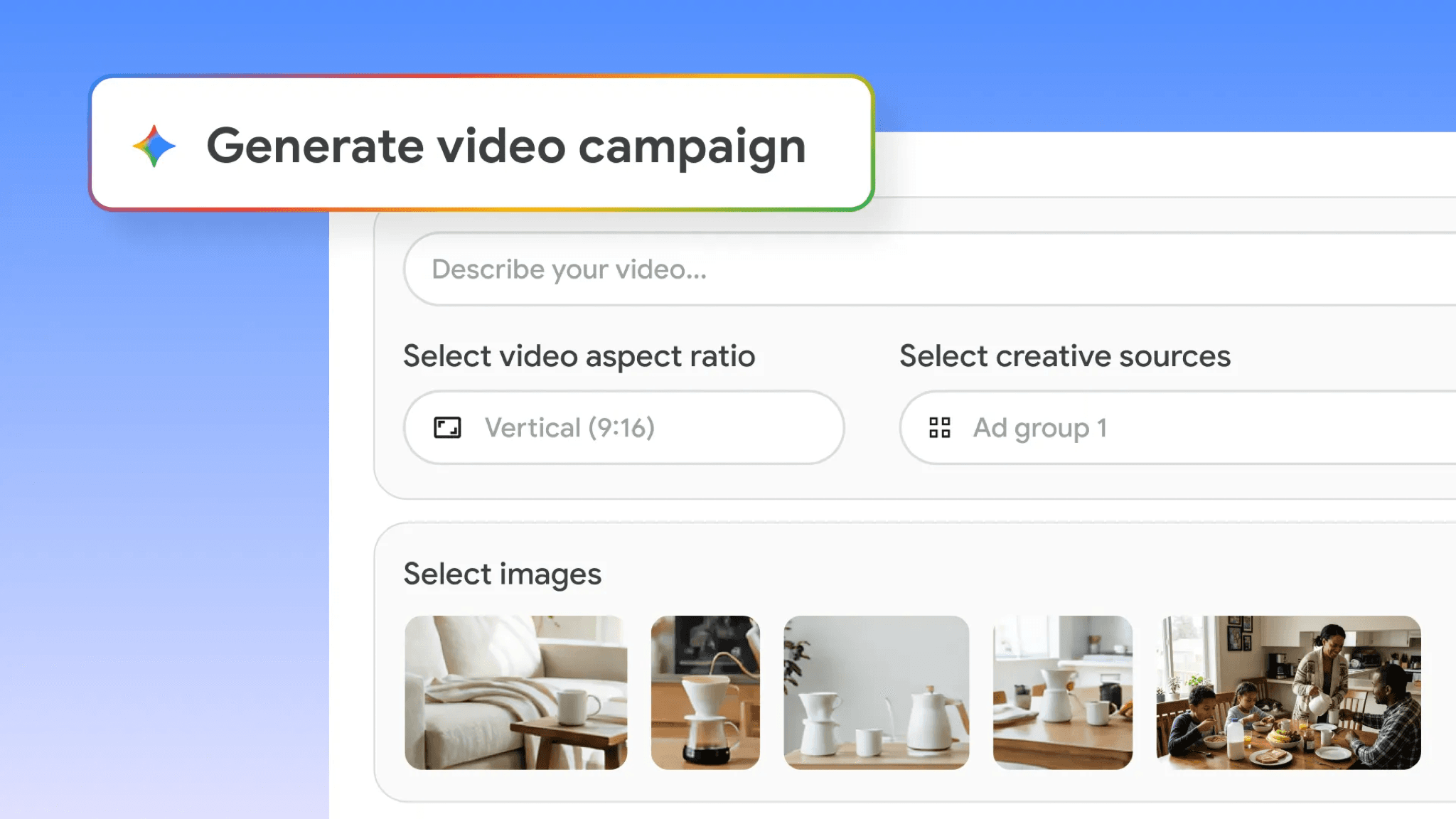
Official Google Marketing Live 2026 Asset Studio video-creation image.
Shareable assets move Asset Studio approval out of screenshots. This guide sets review rules for generated creative, shareable links, and 1-Click A/B Testing before campaigns scale.
Key takeaway
Google's Asset Studio announcement describes preview combinations and shareable links so teams can view and provide feedback on assets even when they do not use Google Ads daily. That speed changes where approval lives. Feedback moves from inbox screenshots to linked previews, and the account risk shifts from slow review to undocumented drift when generated images, generated video, or test candidates enter Performance Max, Demand Gen, Shopping, or YouTube without the same owner rules.
The workflow should name asset type, review owner, brand fit, claim accuracy, product accuracy, rights, policy sensitivity, landing-page fit, campaign context, and what result would justify launch, revision, hold, or retirement. Treat 1-Click A/B Testing as a test starting point until Google publishes deeper setup, eligibility, reporting, sample-size, and optimization detail in Help. Verify undocumented controls in the live account. Parallel AI reads the connected Google Ads account, writes the creative review doc or spreadsheet, and drafts campaign notes for a person to approve.
Checked against current product, pricing, trust, and official Google materials so the explanation stays tied to the live product and current Google Ads context.
- Google's Asset Studio updates blog supplies announcement-tier language for AI creative, shareable previews, Gemini Omni video integration, and 1-Click A/B Testing; Help pages ground asset library and generated image restrictions.
- Undocumented setup, eligibility, and reporting claims were avoided; in-account verification is named where Help detail is incomplete.
- Parallel's role stays limited to connected account review, finished creative governance notes, and drafted changes held for human approval.
The creative director approves a generated product scene from a phone while traveling. The link came from Asset Studio, not from the paid media lead's screenshot thread. Google's Asset Studio Help page describes shareable previews that let teams view and provide feedback on assets even if they do not use Google Ads. That is the reframe: shareable assets move approval out of screenshots. The workflow decides whether the new speed becomes governed reuse or quiet drift into campaigns.
DEFINITION
Asset Studio shareable asset preview
A stakeholder preview path described in Google's Asset Studio Help documentation for reviewing creative combinations and collecting feedback through shareable links. Google's Asset Studio updates announcement positions Asset Studio as a one-stop shop for developing creative across Google and YouTube, with multimodal generation and testing features rolling out globally in English. Public detail on every approval field is thinner than the marketing story.
Google Ads Help: About Asset studio
Speed without ownership is how generated images, generated video, edited assets, and test candidates acquire campaign spend before brand, legal, and ecommerce leads see them on a live surface. The inbox screenshot era was slow but legible. Shareable links are fast but easy to forward without context.
Google's announcement also references 1-Click A/B Testing and Gemini Omni video integration as forthcoming capabilities. Those features are rollout-limited in public copy. Teams should treat test outcomes as inputs to revision, not as standalone approval, until Google publishes deeper setup, eligibility, reporting, and sample-size guidance in Help.
Asset library storage centralizes reuse per Google's asset library Help reference. Centralization helps until nobody records which version was approved, for which offer, in which market, with which rights clearance.
Generated images carry restrictions in Google's generated images Help page. Shareable previews can look finished while policy, rights, or product accuracy gates are still open.
Illustrative math: a Demand Gen test launches three Asset Studio variants after shareable feedback from two stakeholders. Performance Max picks up one variant two days later because it landed in the library without a retirement date. Conversion rate holds while return complaints rise on a mislabeled bundle. Numbers are illustrative. The mechanism is speed without a reuse ledger.
A shareable link is not an approval record by itself.
Once approval leaves the inbox, the governing document is the ledger: who approved what, for which campaign job, with which limits.
Suggested assets still require review per Google's suggested assets Help page. A shareable thumbs-up is not a substitute for checking whether the asset is appropriate for the active campaign type.
Landing-page fit belongs in the same row as brand fit. Google's creative workflows assume final URLs and offers matter even when generation starts from a brief or site crawl. Verify live pages when public Help does not document a specific field behavior.
Retirement rules matter as much as launch rules. When the offer, product data, policy context, rights clearance, or creative standard changes, the library should lose assets faster than new ones arrive.
Asset types mapped to review gates.
| Asset type | Review gate | Campaign context |
|---|---|---|
| Generated image | Product accuracy, rights, generated image rules | Performance Max, Demand Gen, Shopping surfaces |
| Generated or edited video | Claims, policy, brand fit, format fit | YouTube, Demand Gen, Performance Max video inventory |
| Shareable preview candidate | Owner sign-off and feedback log | Stakeholder review before library promotion |
| 1-Click A/B test variant | Written test question and scale rule | Launch, revise, hold, or retire based on agreed signals |
Reuse without retirement dates is how drift compounds.
Google's Asset Studio announcement describes 1-Click A/B Testing to find what performs best based on goals. That is a useful start, not a complete governance system.
Define the test question before any variant earns spend: what belief changes if variant B wins, and what metric plus window decides launch, revision, hold, or retirement.
Keep budget limits, audience context, and conversion-quality signals in the test record. Early performance without claim accuracy can still be a brand or policy loss.
Where Google's public posts do not document eligibility, reporting depth, or optimization behavior for 1-Click A/B Testing, the account team should verify the live Asset Studio workflow rather than assume parity with classic experiments.
Shareable feedback and test results should land in the same doc or spreadsheet row so finance, brand, and paid media leads read one story instead of three chats.
A winning variant with wrong claims is still a loss.
With shareable speed as the frame, the pre-campaign review stays explicit enough for a handoff.
Confirm whether the asset is a generated image, generated video, edited asset, shareable preview candidate, or test variant.
Name the owner responsible for brand fit, claim accuracy, product accuracy, rights, policy sensitivity, landing-page fit, and campaign context.
Review the Performance Max, Demand Gen, Shopping, YouTube, or Merchant Center use case before treating the asset as reusable.
Define the test question and scale rule before 1-Click A/B Testing influences budget.
Record approval date, offer version, markets, and retirement criteria in the same ledger row.
- Classify asset type before approval.
- Log shareable feedback with named owners.
- Match claims to product data and live pages.
- Retire assets when offer or policy context changes.
Library access without a ledger recreates drift at scale.
Approve when the campaign job, offer, product data, landing page, brand rules, rights, and policy context still match. Test when the creative is accurate but performance data is still required before broader expansion. Revise when the concept is useful but claims, product depiction, format, offer, or landing-page match is not ready. Hold when eligibility, reporting, legal, policy, rights, or product-accuracy questions are unresolved in public sources or the live account.
Approve or test when
- Owner, claims, rights, policy context, and landing-page fit are documented in the ledger.
- Shareable feedback is recorded with date, market, and campaign scope.
- Test questions and scale rules exist before 1-Click A/B Testing affects spend.
Hold when
- Only a shareable thumbs-up exists without product or policy review.
- Offer, feed, or rights context changed since feedback was collected.
- Undocumented Asset Studio controls still need in-account verification.
Asset Studio governance is a connected-account review Parallel AI handles well. The agent reads campaign context, asset library usage, performance trends, conversion actions, and change history from the connected Google Ads account, then writes approve, test, revise, or hold notes in a doc or spreadsheet with owner, claims, rights, and retirement rows. If the call is to pause a test, draft a campaign note, or flag a policy concern, it waits for a person to approve that change. Shareable links without a ledger recreate the same Friday rework loop. See for adjacent generated video review. On Monday morning, open the asset ledger, list every shareable-approved item without retirement dates, verify offer and page match, and send one approve, test, revise, or hold line before new variants enter Performance Max or Demand Gen.
Google documentation
Google's Google Marketing Live 2026 announcement for Asset Studio AI creative workflows and 1-Click A/B Testing.
Google's Google Marketing Live 2026 announcement for YouTube, Demand Gen, creative, commerce, and measurement updates.
Google's current Help reference for Asset Studio in Google Ads.
Google's current Help reference for adding and managing assets in the asset library.
Google's current Help reference for generated image behavior and restrictions.
Google's current Help reference for suggested assets in Google Ads.
- Google Marketing Live 2026: What Google Ads Teams Should Review FirstThe first GML response is a prioritized account review across campaign inputs, not a feature rollout checklist.
- Demand Gen and YouTube After GML 2026: Creative, Commerce, MeasurementAsset Studio outputs, Merchant Center diagnostics, and Campaign Type Attribution need a shared review before Demand Gen spend expands after GML 2026.
- Asset Studio Product Imagery Fidelity ChecklistHelpful when generated product imagery needs product, feed, brand, policy, and campaign review before use.
- Asset Studio Veo 3 Video Guide: Review Generated Video Before Campaign UseHelpful when Asset Studio generated video is ready to test but the team still needs brand, policy, tier, and campaign-use governance.
- Demand Gen Asset Optimization Audit: Review Controls Before Weekly ScaleHelpful when creative reviews ignore the asset report and debate taste instead of spend concentration.