

4 min read
Parallel AI vs Adsroid: Which AI Ads Workflow Fits Better?
Compare Adsroid's cross-channel monitoring and automation with Parallel's Google Ads investigations and editable reports.
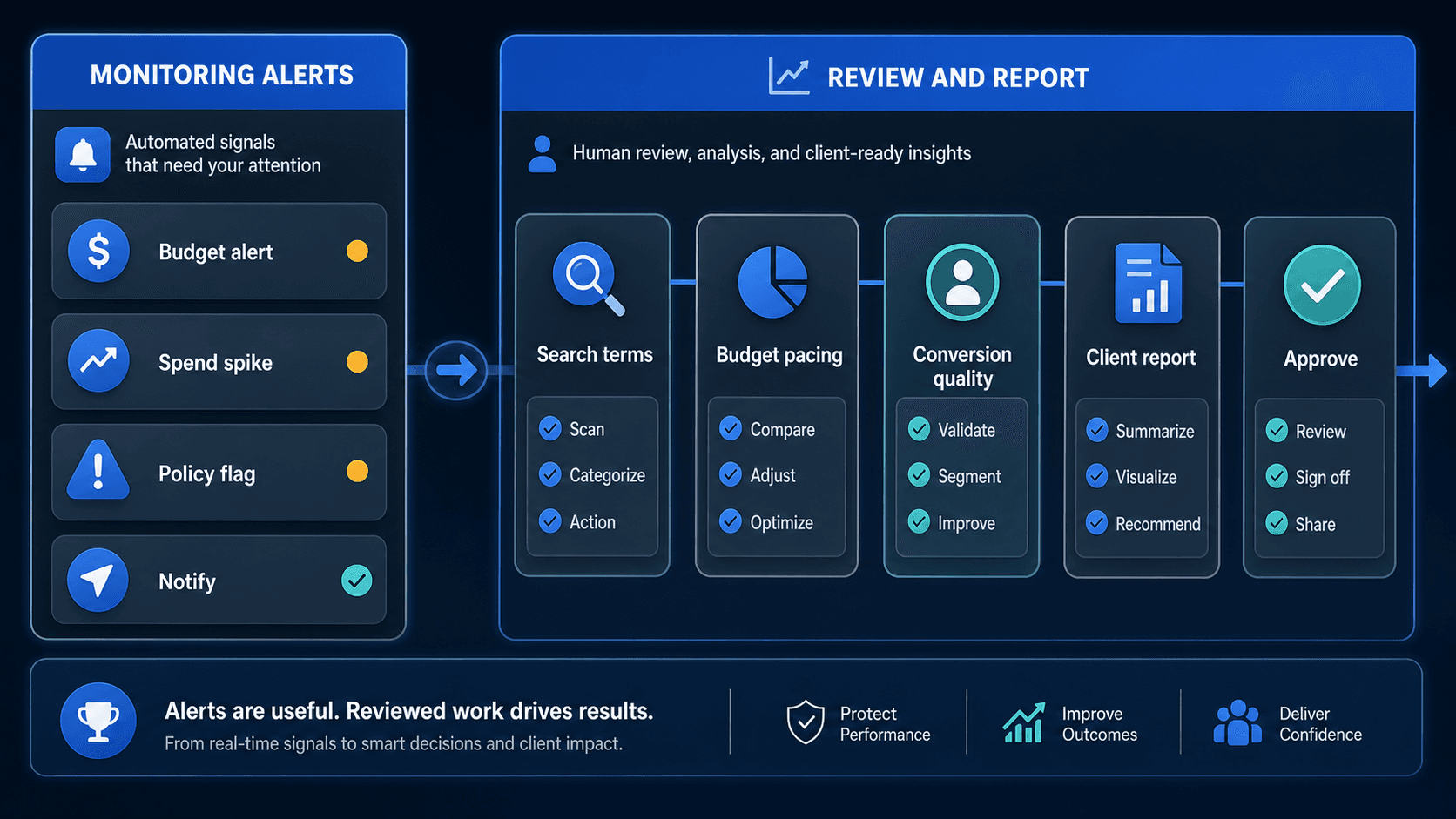
Adsroid combines an advertising agent with cross-channel monitoring, reporting and optional autonomous optimization. Parallel focuses on Google Ads analysis, research and editable documents and reports, with approval before account changes. Compare the plan you would buy, not just the feature list on the homepage.
First, check the Adsroid plan
Adsroid Premium includes three projects and three ad platforms. Scale includes five of each and adds Copilot. Those are the vendor's plan labels: do not assume that one project always means one ad account.
Check reporting destinations, connected-platform allowances and automation controls for the subscription you would buy. A feature shown elsewhere on the website may not be included in that plan.
Published features and limits
Use your real account list when comparing allowances. Reading an account and changing it are different permissions. Check both.
| Capability | Parallel AI | Adsroid |
|---|---|---|
| Category | AI agent for Google Ads | Adsroid offers cross-channel advertising analysis, notifications, reports, and an autonomous Copilot on its Scale plan. |
| Best for | Teams that need help investigating Google Ads performance and preparing research, documents, spreadsheets and reports. | Teams looking for cross-channel monitoring, Slack or email notifications, and plan-based automation. |
| Account connectivity | Connect Google Ads accounts and add files needed for the analysis. | Google, Meta, TikTok, LinkedIn, and Microsoft advertising integrations, plus GA4 and Search Console. |
| Multi-account / MCC support | Individual Pro: 2 Google Ads accounts; Individual Max: 10 Google Ads accounts; Team: 20 shared Google Ads accounts; Agency: 50 shared Google Ads accounts; Enterprise: Custom / negotiated | Plan limits distinguish projects, users, and ad platforms. Confirm how your actual accounts map to those limits. |
| Audit depth | Investigate account performance, examine supporting data and propose next steps. | Conversational analysis, recommendations, monitoring, and Copilot optimization; availability depends on plan. |
| Reporting output | Editable documents, spreadsheets and reports. | Email and Slack notifications; monthly Google Slides reports on Premium and higher plans. |
| Change controls | Analysis is read-only. Proposed Google Ads account changes require approval. | Recommendation-led workflows and an autonomous Copilot are distinct offerings. Verify the selected mode and its permissions before connecting a live account. |
| Creative generation role | Prepare creative briefs, ad copy and campaign plans. | Cross-channel analysis and optimization rather than a dedicated creative production suite. |
| Pricing model | Individual Pro: $60/month; Individual Max: $200/month; Team: $75/seat/month; Agency: $150/seat/month; Enterprise: custom pricing. Individual Pro: 5-day trial; Individual Max: 5-day trial. Team and Agency have no free trial. Monthly billing prices; see pricing for other billing periods. | Free, Starter ($29/month), Premium ($49/month), Scale ($99/month), and Enterprise plans. |
When cross-channel monitoring matters most
Adsroid is worth evaluating if your team needs notifications from several ad platforms and wants reports delivered through tools such as Slack or Google Slides. Test whether those notifications reach the right person with enough detail to act.
Optional autonomous optimization is a separate decision. Understand what it can change and how you can control it before turning it on. You can test the value of monitoring and reporting first.
When the work centers on a Google Ads question
Parallel is worth evaluating if you need to work through a Google Ads problem and develop the answer into a document, spreadsheet or report. Bring a question that requires more than a campaign-level total, then check whether the analysis follows the relevant evidence.
Review the output as something you would use in your own work. Are the numbers traceable? Is uncertainty clear? Can you revise the report without reconstructing the analysis? Those are more useful criteria than the presence of a chat interface.
Separate the monitoring test from the analysis test
Start with the same known Google Ads performance change and compare each explanation. Then test cross-channel monitoring separately, using the platforms your team actually manages.
Leave autonomous optimization off while comparing the reports. Once you understand the analysis, you can evaluate permissions and execution controls without confusing a good-looking answer with a safe campaign change.